- Geo Atherton
- Posts
- Promptcraft for Designers: How AI is Revolutionizing UX
Promptcraft for Designers: How AI is Revolutionizing UX
As designers in the age of AI, how much value does our creativity still have?

Geo Atherton
December 29, 2022

This is Part 1 of a 5-Part series on how AI is revolutionizing the field of UX design, and how to keep your skills sharp. Read time ~3 min
Pop quiz: As designers in the age of AI, how much value does our creativity still have?
AI tools are here, and they’re already transforming the landscape of design, user experience, and creative work. New skills like promptcraft are coming to the forefront. Tools like ChatGPT and Dall-E are becoming sudden staples of our creative pipelines.
When a layperson can generate imagery & copy in mere seconds, will creative professionals become a commodity... or charge a premium?
A lot of people are angry and concerned at the possibility of AI taking creative jobs. As usual for any new tech though, there will be hot new opportunities for designers willing to learn cutting-edge skills.
If you’re a working UX professional, what AI Design skills should you focus on to stay ahead of the curve?
If you’re an aspiring designer trying land your first UX job, what do you need to know about AI to break into the design industry now?
How will these AI tools change what we work on?
How can we use these tools and ‘Responsible AI frameworks’ to design more inclusive experiences for people who’ve never had access to them before?
Let’s explore what design skills are going to be the most valuable in the years to come.
The Art of Promptcraft
We’re all ‘prompt architects’ now.
As Seth Godin recently said, “Now, with GPT and Stable Diffusion and other machine learning AI tools gaining widespread use, there’s a gap between people who are simply stumbling around with silly short prompts and folks who are figuring out how to engineer an excellent prompt.”
He compares the prompts we give to AI tools to the instructions bosses give their employees.
“We’re all the boss. Giving better instructions gets better results.”
As a sci-fi / swords & sorcery geek, I get a kick out of comparing generative AI tools to magic, the kind you'd see in a fantasy series. Like magicians of myth, we whisper ‘spells’ into our tools. Like a genie, they respond by doing exactly what we tell them... but that’s not always the same as what we intended.
As such, a good rule of thumb for promptcraft is to be very specific. For image generation, if you have a goal already in mind, avoid vague or emotive words that are open to varied interpretation. It works better to literally describe a subject. Describe the color, the lighting, the environment and the camera positioning.

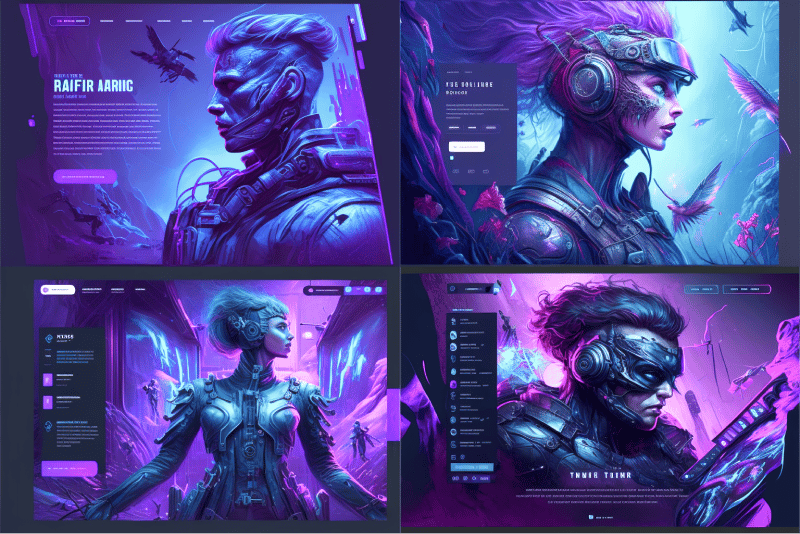
The prompts I used for the art in this series of posts were variations of ‘Landing for a design agency website, design, ux/ui, ux, ui, --ar 3:2 --v 4 --q 2’
Some commands are unique to a given app, and still as arcane as any coding language (or grimoire of incantations). Prompts like ‘--ar 3:2’ may not make intuitive sense on first impression, but this is telling Midjourney you want an aspect ratio of 3:2 for the image output.
In the case of Stable Diffusion, you can do things like assign different ‘weights’ to each of the prompt keywords for finer control, like “Cute:0.10, Black Cat:0.60, Dramatic lighting:0.30,” for example.
So it’s not as simple as saying, ‘Uh oh, our jobs are toast.’ Generative tools require skill and knowledge to get the desired result, and avoid noise. A prompt Jedi master will be a force to be reckoned with, multiplying the quantity and quality of their creative output to do more, better.
A core skill for designers will be learning how to structure your written prompts to produce an output that’s close to what you have in mind, then refine it through successive rounds of correction to zero in on your targeted imagined result (so satisfying by the way!).
What does this look like in practice?
At the early stages of a project, AI tools will generate ideas. You can use them to make moodboards and inspire an approach you might not have arrived at otherwise.

But, if you’ve started experimenting with these tools (especially generative text)... you may have noticed that (as of this writing) the outputs can be sort of... flat?
Like a Star Trek ship’s computer voice. Neutral.
An axiom among writers is that ‘There’s no good writing, there’s only good re-writing.’
Text generators like Jasper.ai and image generators like Stable Diffusion are excellent at quickly producing first drafts... but much like the prompts themselves, they often need refinement or inflection. The best refinements will come from those who know the fundamentals of human-centered design, graphic design, & writing.
You still need to know ‘good’ when you see it, which means you need to know why it’s good.
Next post, I’ll dig deeper into how AI tools will supercharge designers who know the timeless fundamentals of our discipline.